Inventory transfer to Store screens
Create a new Inventory Transfer – select the target store
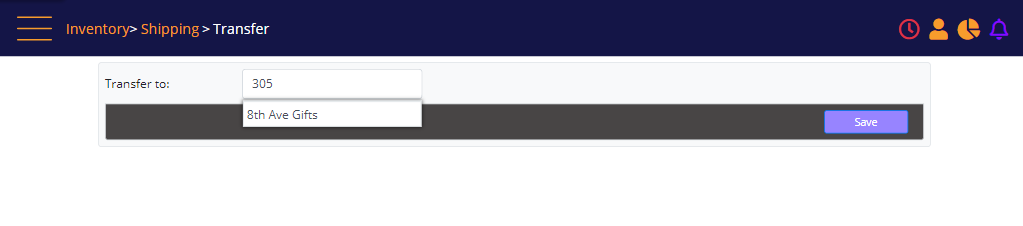
Create a new Inventory Transfer
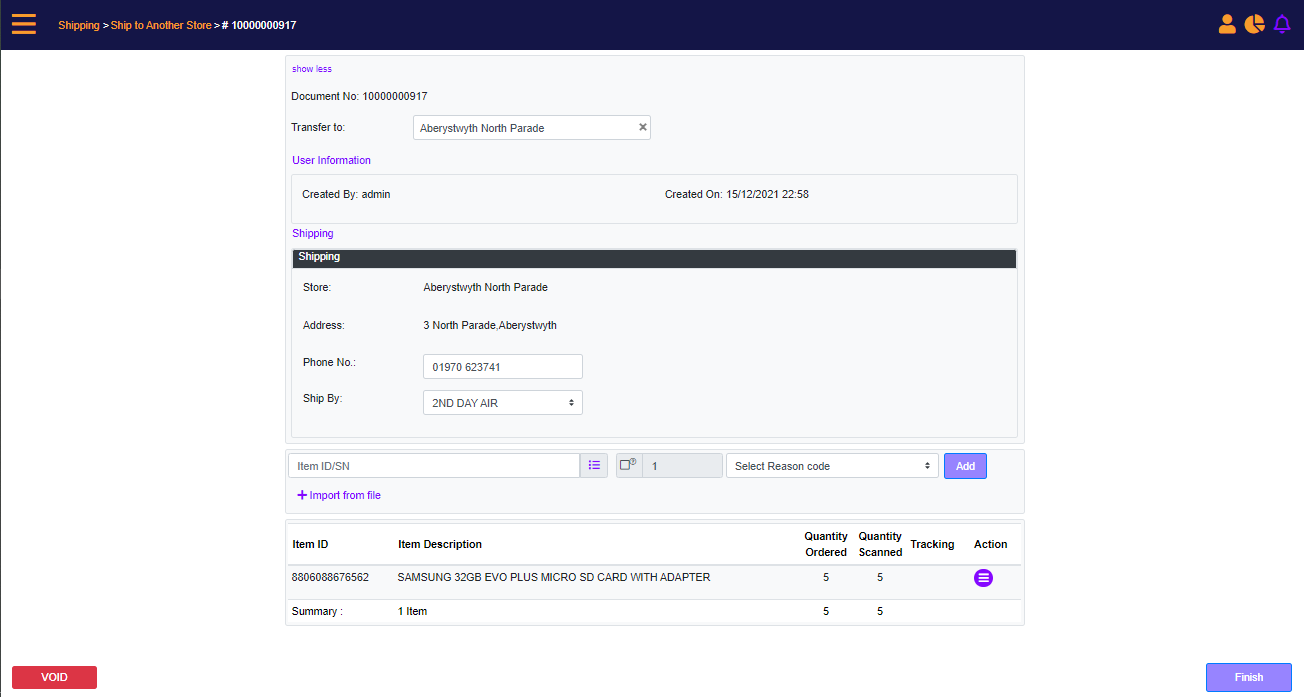
Screen Data Elements
|
Elements |
Type |
Action |
|
Transfer To |
box |
Type search key to select the target store |
|
Save |
button |
Save to continue creating the transfer order |
|
Document No. |
Integer |
Automatically created transfer Order number |
|
Transfer To |
Box |
Target store |
|
User Information |
Clickable |
Click to show more/less |
|
Created By |
Read-only |
User who created the Store Transfer |
|
Created On |
Read-only |
Time and date when Transfer Order was created |
|
Shipping |
Clickable |
Click to show more/less |
|
Store |
Read-only |
Target store name |
|
Address |
Read-only |
Target store address |
|
Phone No. |
Box |
Auto populated, editable phone No. of target store |
|
Ship By |
Select from list |
Select shipping method |
|
Item ID/SN |
Box |
Scan or enter manually the SKU or SN |
|
Menu |
Icon |
Click to open the Add Items page |
|
Quantity |
Checkbox/Box |
Check-mark to enter quantity. Default quantity is 1 |
|
Select Reason Code |
Select from list |
Select the reason for the store transfer order |
|
Add |
Button |
Add the entered SKU or SN to the Store Transfer |
|
Item ID |
Read-only |
Product SKU |
|
Item Description |
Read-only |
Description of the product |
|
Quantity Ordered |
Read-only |
Quantity ordered |
|
Quantity scanned |
Clickable |
Quantity scanned, click to review the details |
|
Action |
Menu |
Select Remove to remove the line. Click Modify to modify the quantity or the reason code Click Add Tracking to add tracking No for the product. |
|
Summary |
Read-only |
Summary of order |
|
Void |
Button |
Cancel and voiding the order |
|
Finish |
Button |
Finish the order and show steps |
Add items to order
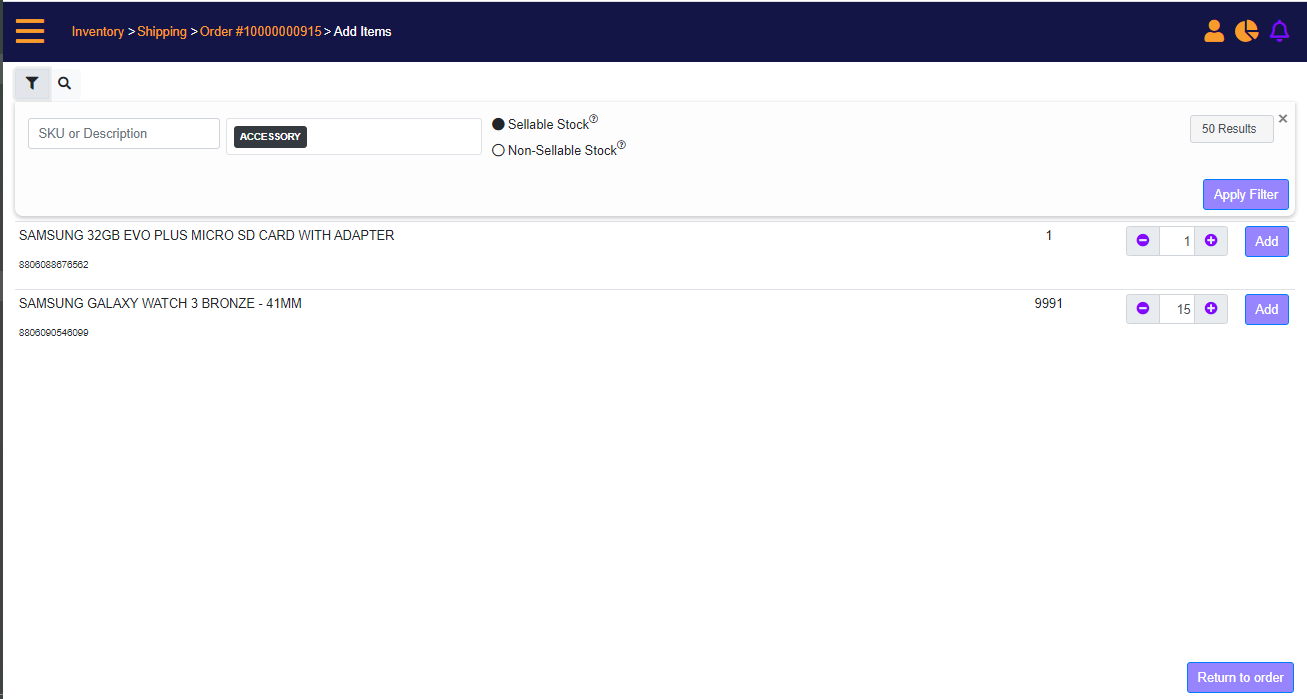
Screen Data Elements
|
Elements |
Type |
Action |
|
SKU or Description |
Box |
Enter SKU or description |
|
Category |
Select from list |
Select the category, and if required you can select subcategory 1,2, and 3 |
|
Sell-able Stock |
Radio button |
Select to filter sell-able stock |
|
Non-Sell-able Stock |
Radio button |
Select to filter non-sell-able stock |
|
10 Results |
Select from list |
Select between 10 and 25 results |
|
Apply Filter |
Button |
Display the search results |
|
Matching Product |
|
Product description and SKU |
|
Quantity in Stock |
|
Quantity in originating store |
|
Quantity To Add |
|
Type the quantity or use the +/- icons |
|
Add |
Button |
Add the product to the Transfer Order |
|
Return to Order |
Button |
Return to the Transfer Order |