Return Exception
In a scenario where products were sold in another system, and the customer wants to return the product, you will select the Return exception button in the Shopping Cart.
Click Sale in POS to open the order screen
New order – Return Exception link
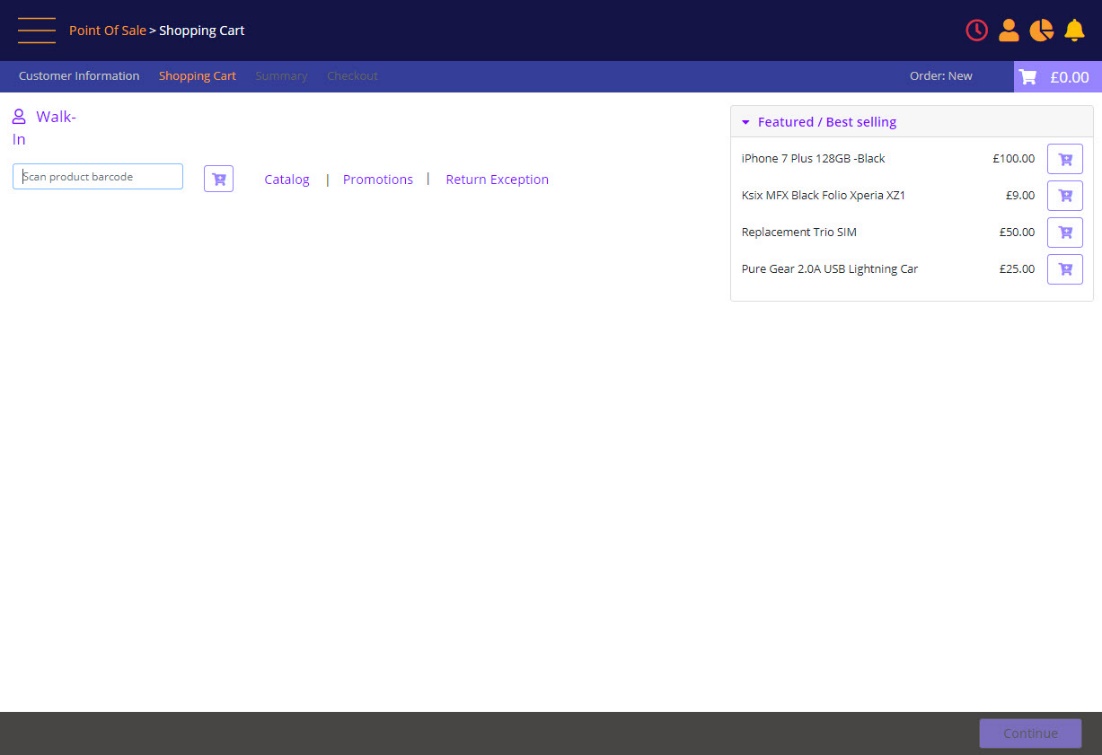
Click the Return Exception link
A prompt will display to scan product bar-code:
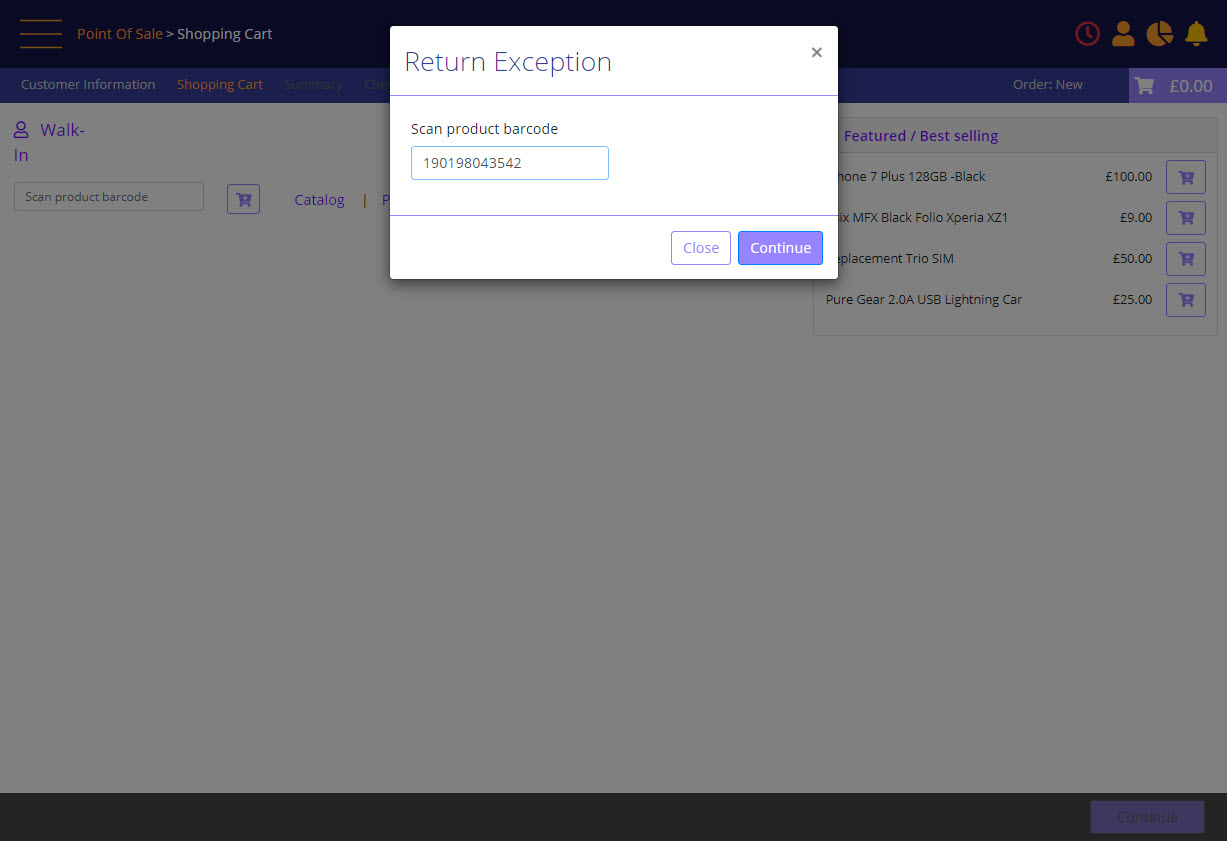
Click Continue and below prompt will display to fill all the required fields:
Return Exception
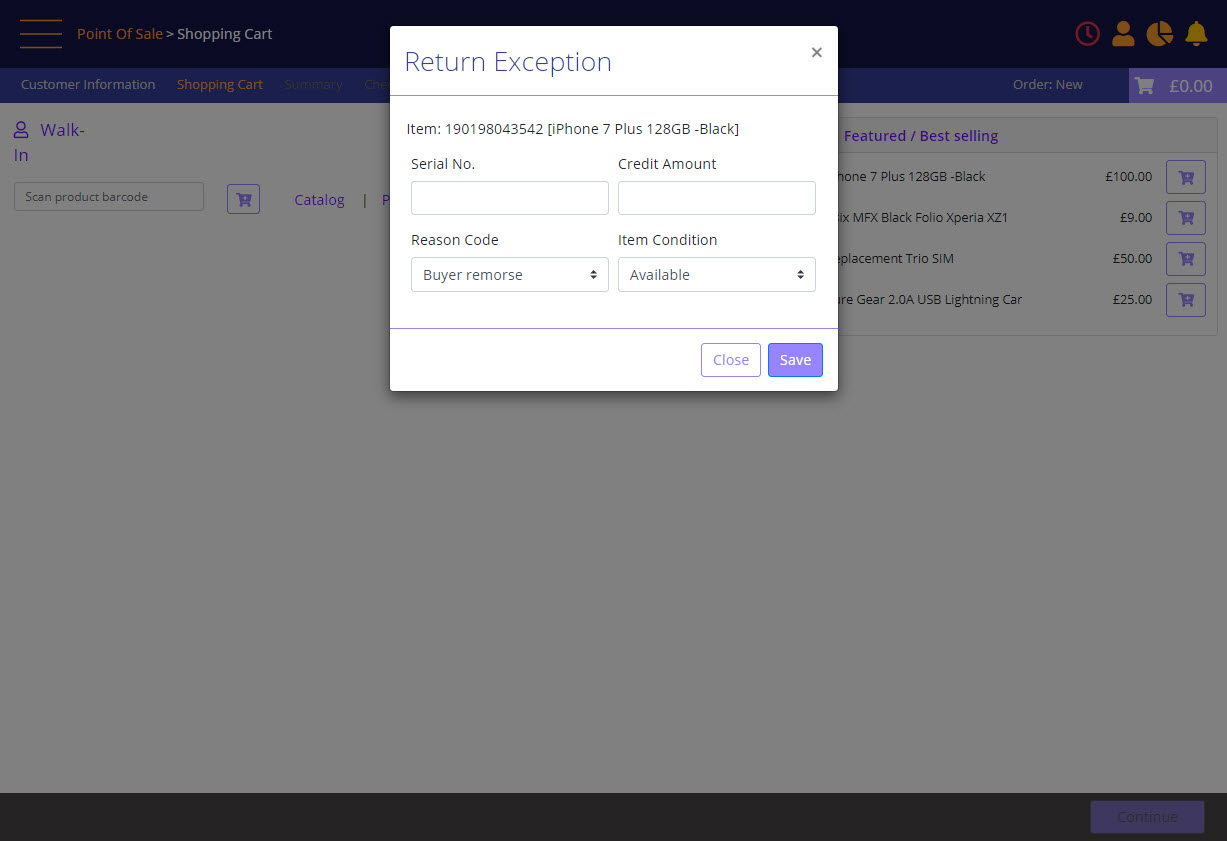
- Enter the Serial number of the product in Serial No. field
- Credit Amount: check the receipt from Legacy system and enter the amount to be refunded.
- Reason Code: select a Reason Code for the return.
- Item Condition: select the item condition of the device.
Return Exception shopping cart
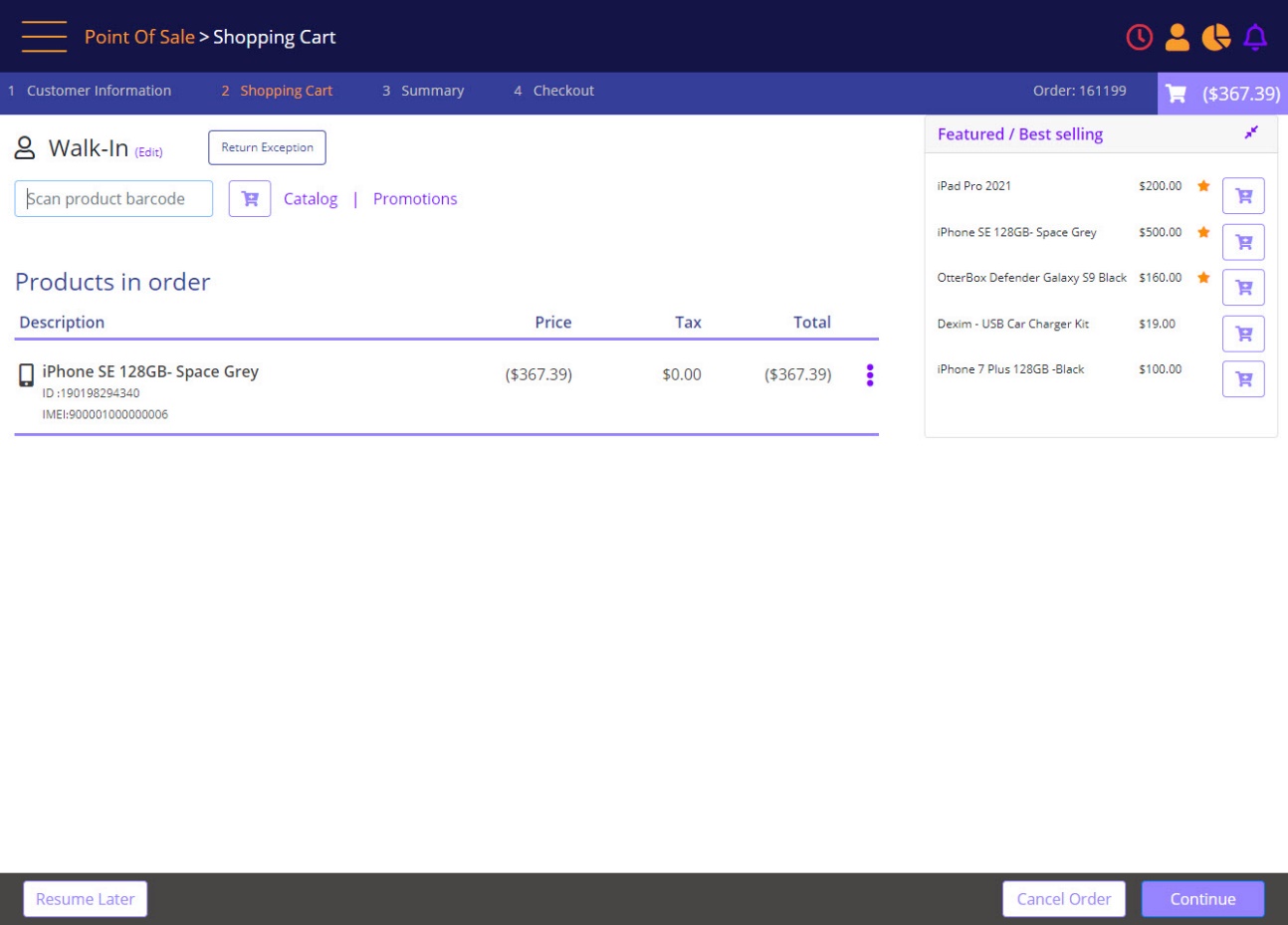
User clicks Continue to go to Order Summary screen and from there Continue to the Checkout screen.
Return Exception Checkout page - select the method of payment
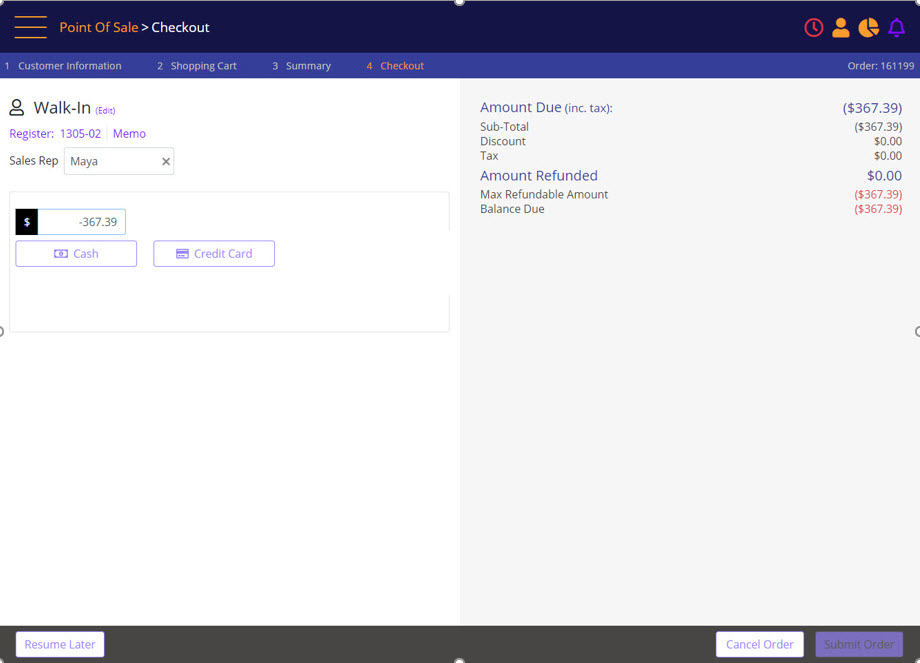
The user enters a negative amount and then selects the form of payment.
Return Exception refund is applied – Submit Order
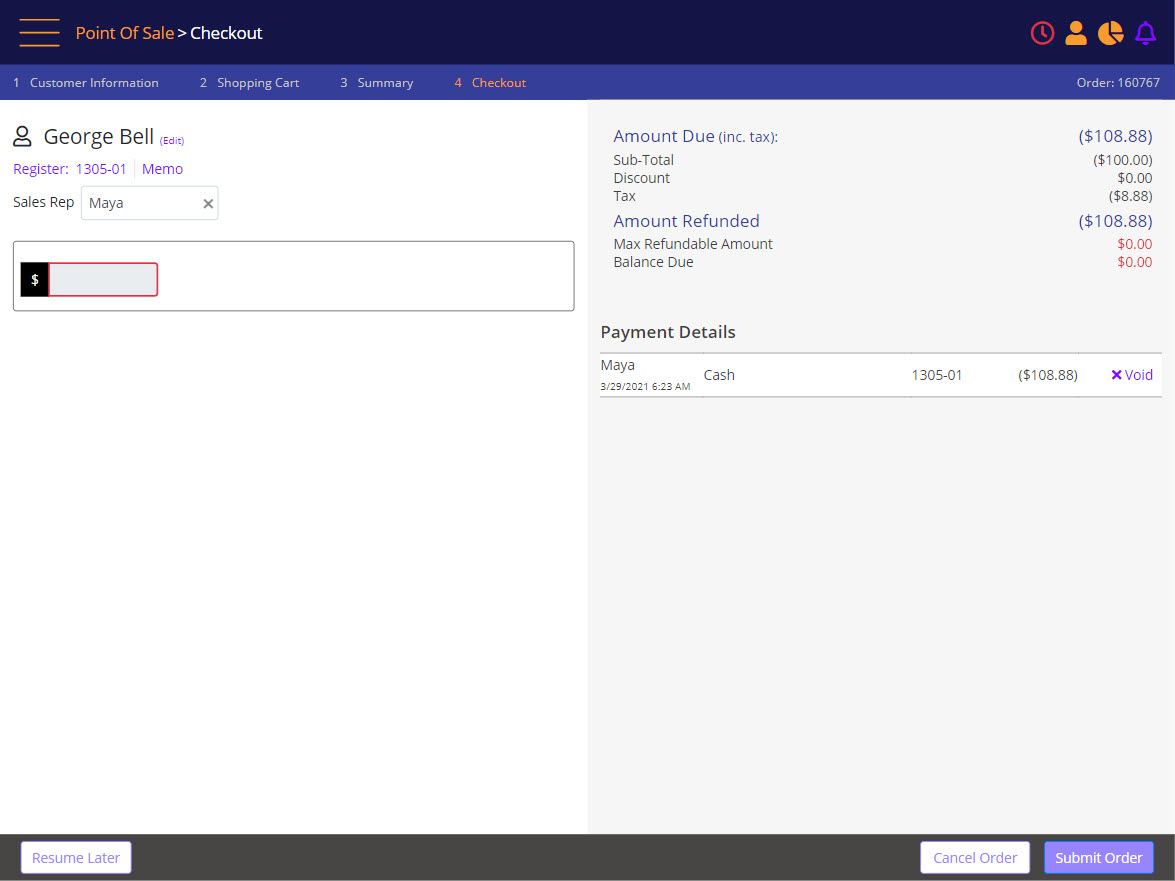
The user selects Submit Order to complete the flow and generate a receipt.