MTPOS Inventory Management

Retail Inventory Management Software With Serialized Tracking

Manage stock levels, replenishment, purchase orders, store transfers, cycle counts, serialized products, reservations, returns, warranties, recalls, and inventory reports from one connected cloud POS platform.

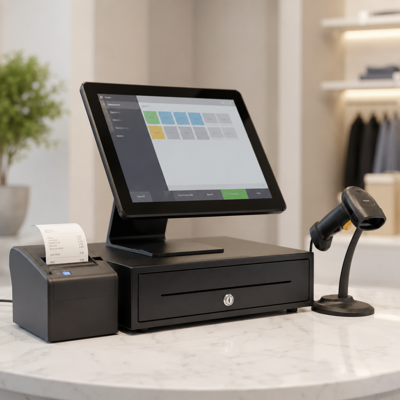
MTPOS inventory management dashboard for retail stock transfers replenishment and serialized inventory
Stock Visibility
Min/Max Reordering
Store Transfers
Cycle Counts
Serial Tracking
Mobile Access

Inventory Control Built Into Your POS Workflow

MTPOS connects inventory management directly to checkout, purchasing, receiving, returns, exchanges, reservations, transfers, reporting, and mobile store operations. Store employees can work from the POS, while owners and managers maintain visibility across locations.

Real-Time Stock Visibility

See what is available, reserved, transferred, received, sold, or running low across your locations.

Purchasing and Receiving

Import purchase orders, receive products, update stock, and keep procurement activity connected.

Transfers and Warehouses

Request, approve, send, receive, and track inventory movement between stores and warehouses.

Serialized Inventory

Track serial numbers, item history, warranty activity, recalls, and high-value inventory.

Trusted by Enterprises Worldwide

Proven in High-traffic, Multi-Store Retail Environments

Built on over two decades of retail technology experience and worldwide deployment experience, MTPOS helps businesses manage inventory across stores, warehouses, and distribution locations while adapting to diverse operational and regulatory requirements.

MTPOS inventory dashboard showing stock levels low inventory transfers and purchasing activity
Inventory Visibility

Know What You Have, Where It Is, and What Needs Action

MTPOS helps retailers avoid stock surprises by giving managers visibility into inventory levels, stock movement, transfer activity, reservations, receiving, and low inventory conditions.

Available stock by location
Low-stock inventory alerts
Reserved and committed items
Warehouse and store balances

Reduce Out-of-Stock Issues With Smarter Replenishment

Configure minimum and maximum stock levels to help identify what needs to be reordered, transferred, or reviewed before inventory shortages affect sales.

Min/Max Reordering

Set replenishment thresholds so the system can alert your team when items require action.

Low-Stock Alerts

Receive alerts when inventory drops below expected levels instead of manually checking reports all day.

Purchase Order Imports

Import purchase orders and connect procurement activity to receiving and inventory availability.

Purchasing Connected to Store Operations

Inventory management is strongest when purchasing, receiving, transfers, and sales activity are connected. MTPOS helps store teams work from one platform instead of managing inventory in disconnected spreadsheets.

See Catalog Management
MTPOS purchase order receiving screen connected to inventory management
Transfers and Warehouses

Move Inventory Between Stores and Warehouses With Control

When one location has extra stock and another location is running low, MTPOS helps your team manage transfer workflows with visibility, approval, shipment, receiving, and status tracking.

Transfer requests
Approval workflows
Warehouse movement
Receiving confirmation
MTPOS inventory transfer workflow between stores and warehouses
MTPOS mobile cycle count and inventory scanning screen
Mobile Inventory

Count, Scan, Audit, and Approve Inventory From Mobile Devices

MTPOS supports practical mobile inventory work. Approved users can use tablets or phones for cycle counts, inventory scanning, stock checks, transfer approvals, and operational follow-up while away from a back-office workstation.

  • Mobile cycle counts and stock audits
  • Barcode scanning for inventory activity
  • Inventory lookup while on the sales floor
  • Transfer and replenishment approvals
  • Remote access for owners and managers
  • Security controls for approved users and devices
Explore Mobile POS
Serialized Inventory Management

Centralized Serialized Inventory Control

For retailers that sell phones, electronics, equipment, high-value goods, warranties, or service-related items, MTPOS helps track serialized products from receiving through sale, return, exchange, warranty, service, or recall activity.

Serial Number Tracking

Track devices, equipment, or controlled items that require serial number visibility and item-level history.

Real-Time Item Movement

Maintain visibility into serialized product movement across receiving, transfers, sales, returns, and exchanges.

Warranty and Service Tracking

Associate serialized products with warranty periods, service activity, maintenance history, and after-sale support.

Product Recall Support

Identify affected serialized products by serial number, location, transaction history, or customer activity when recall action is required.

Customer Reservations

Reserve products for customers and keep inventory commitments visible to store teams.

Salesperson Allocation

Allocate expensive or controlled inventory items to individual salespeople for accountability and tracking.

MTPOS serialized inventory screen showing serial numbers item tracking and inventory history

Item-Level Control Where It Matters

Serialized inventory helps maintain accountability across stores and warehouses by connecting each unique item to its location, status, transaction activity, warranty record, and service history.

Inventory Accuracy

Cycle Counts, Physical Counts, and Inventory Auditing

MTPOS helps retailers improve inventory accuracy with mobile counts, barcode scanning, audit workflows, variance visibility, and historical inventory activity.

MTPOS inventory audit and cycle count screen with barcode scanning
Physical inventory counts
Mobile cycle counts
Barcode scanning
Variance review
Serialized and non-serialized counts
Inventory adjustment history

Inventory Reports, Alerts, and Actionable Monitoring

Stay informed with reports, alerts, and inventory monitoring tools. Instead of constantly checking every store, managers can respond when MTPOS identifies inventory activity that requires attention.

MTPOS inventory reports alerts low stock monitoring and replenishment dashboard
Low inventory alerts
Transfer status reports
Cycle count variance reports
Serialized item history
Online and scheduled reports
Excel data export
Recommended Use Cases

Inventory Management for Serialized and High-Value Retail Products

MTPOS inventory management is especially useful for retailers that need stronger control over serialized, high-value, traceable, or service-related products.

Cellular phone stores
Computer and electronics stores
Hardware and equipment stores
Bookstores and specialty retail
Boutiques with controlled stock
Multi-store retail operations
Catalog Connection

Inventory Works Best When Product Data Is Clean

Inventory depends on accurate product definitions, categories, serialized item rules, supplier data, pricing, and publishing controls. MTPOS connects inventory workflows with catalog management so your product setup and stock operations work together.

Explore Catalog Management
MTPOS product inventory detail screen connecting product catalog setup with inventory rules

Inventory Management Capabilities

MTPOS gives retailers the inventory tools needed to manage daily stock activity, warehouse movement, purchasing, counts, reservations, serialized products, and multi-location operations.

Inventory levels by store and warehouse
Min/max replenishment rules
Low-stock alerts and notifications
Inventory transfers between locations
Purchase order imports and receiving
Serialized inventory tracking
Non-serialized inventory management
Mobile cycle counts and audits
Barcode scanning
Customer reservations
Returns and exchanges
Salesperson inventory allocation
Warranty and service tracking
Serialized product recall support
Online and scheduled inventory reports

Where Is My Data Stored?

For standard MTPOS cloud subscriptions, your business data is hosted on Microsoft Azure with high availability, multi-zone redundancy, secure cloud access, and infrastructure designed for reliable day-to-day retail operations.

Authorized users can access business data when needed and export transaction data using online reporting tools.

Support Included With Your Cloud Subscription

Your MTPOS cloud subscription includes support to assist with inventory setup, replenishment rules, mobile inventory workflows, transfers, purchasing, receiving, reporting, and ongoing platform operation.

Enterprise Deployment Options

Need Private Cloud, Custom Hosting, or Platform-as-a-Service Deployment?

MTPOS cloud subscriptions are designed for SMB retail operations. For enterprise organizations that require custom deployment, Amazon cloud hosting, customer private cloud, Kubernetes-based deployment, or Platform-as-a-Service delivery models, MicroTelecom can provide enterprise deployment options with implementation support.

Run Inventory From the Same Platform as Your POS

Manage stock levels, replenishment, purchase orders, transfers, cycle counts, serialized products, reservations, returns, warranties, recalls, and inventory reports with MTPOS.

Stock Visibility
Mobile Warehouse Workflows
Store Transfers
Cycle Counts
Serial Tracking
Replenishment
MTPOS Inventory Management

Bring Inventory Management to the Inventory

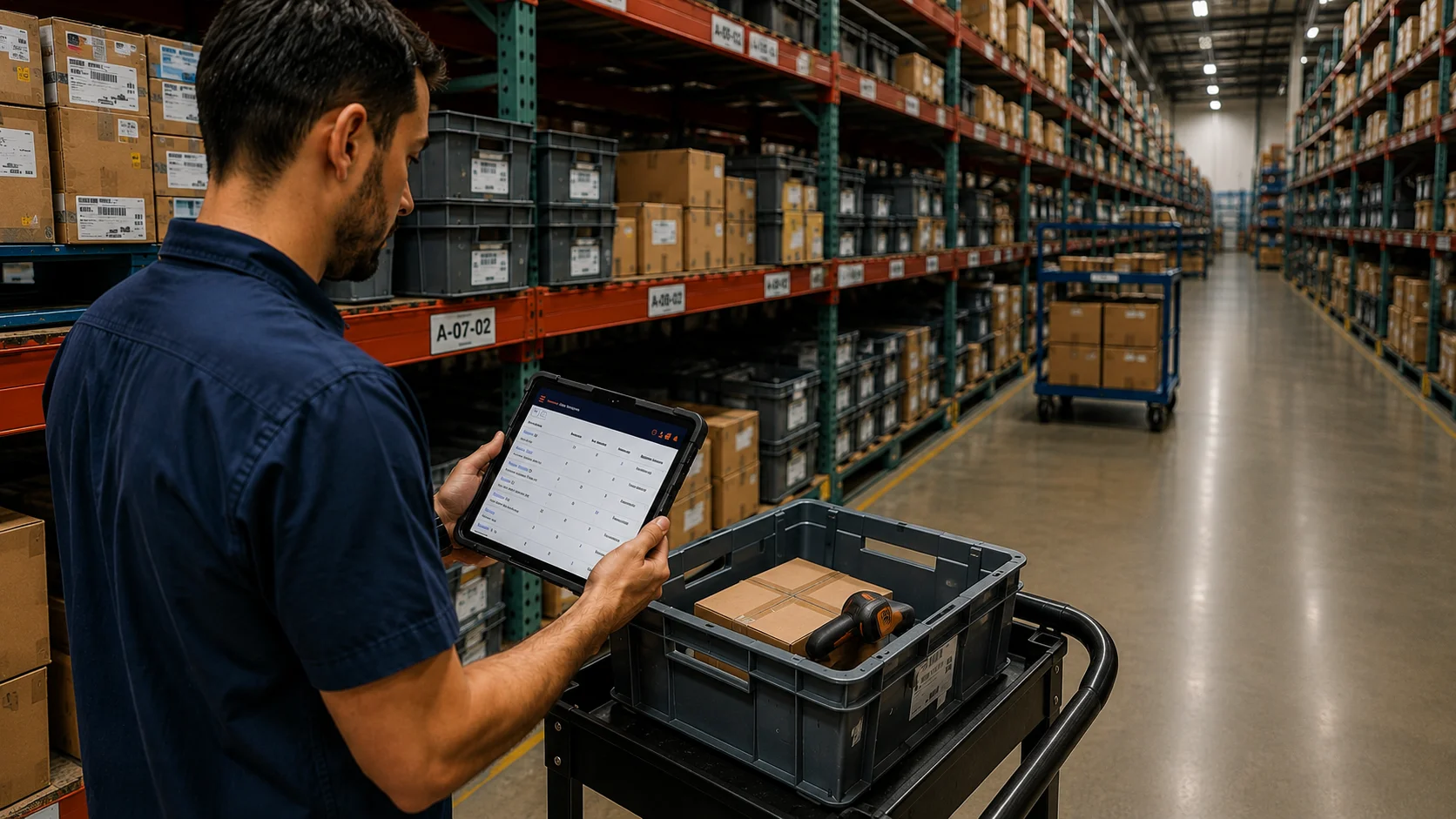
Traditional inventory systems often require employees to bring products to a workstation before inventory activity can be recorded. MTPOS helps move the inventory-management tools to the warehouse floor, stockroom, receiving area, sales floor, cart, shelf, or bin. Using approved devices, iPad apps, mobile access, and barcode scanning workflows, your team can manage inventory where the work actually happens.

Real-Time Stock Visibility

See what is available, reserved, transferred, received, sold, or running low across stores and warehouses.

Mobile Warehouse Operations

Use iPad, mobile devices, and barcode scanners to verify, scan, count, restock, transfer, and fulfill inventory.

Purchasing and Receiving

Import purchase orders, receive products, scan serial numbers, update stock, and connect procurement to inventory.

Serialized Inventory

Track serial numbers, item history, warranty activity, recalls, reservations, returns, and high-value inventory.

Trusted by Enterprises Worldwide

Proven in High-Traffic, Multi-Store Retail Environments

Built on over two decades of retail technology experience and worldwide deployment experience, MTPOS helps businesses manage inventory across stores, warehouses, and distribution locations while adapting to diverse operational and regulatory requirements.

Mobile Warehouse Operations

Work From the Shelf, Bin, Cart, or Receiving Area

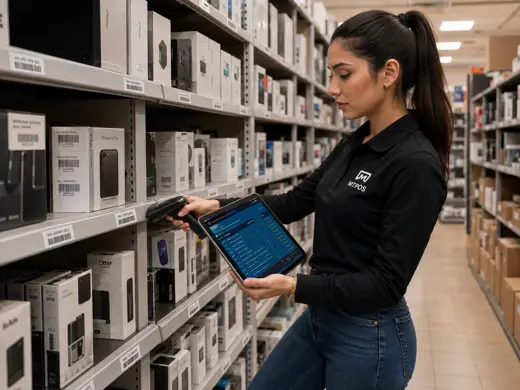
MTPOS supports inventory work where employees actually perform the task. A manager can walk the warehouse to verify quantities, a stockroom employee can scan items into a cart, and a receiving clerk can process purchase orders without waiting to return to a fixed workstation.

Inventory Lookup Anywhere

Check available, reserved, and unavailable inventory across stores, warehouses, and stock locations.

iPad and Scanner Workflows

Use iPad apps and Bluetooth barcode scanners for scanning, restocking, transfer preparation, and inventory verification.

Cart-Based Inventory Work

Support picking, restocking, fulfillment, and transfer workflows while employees move items through the warehouse or store.

Purchasing and Receiving

Receive Inventory Accurately With PO and Serial Number Workflows

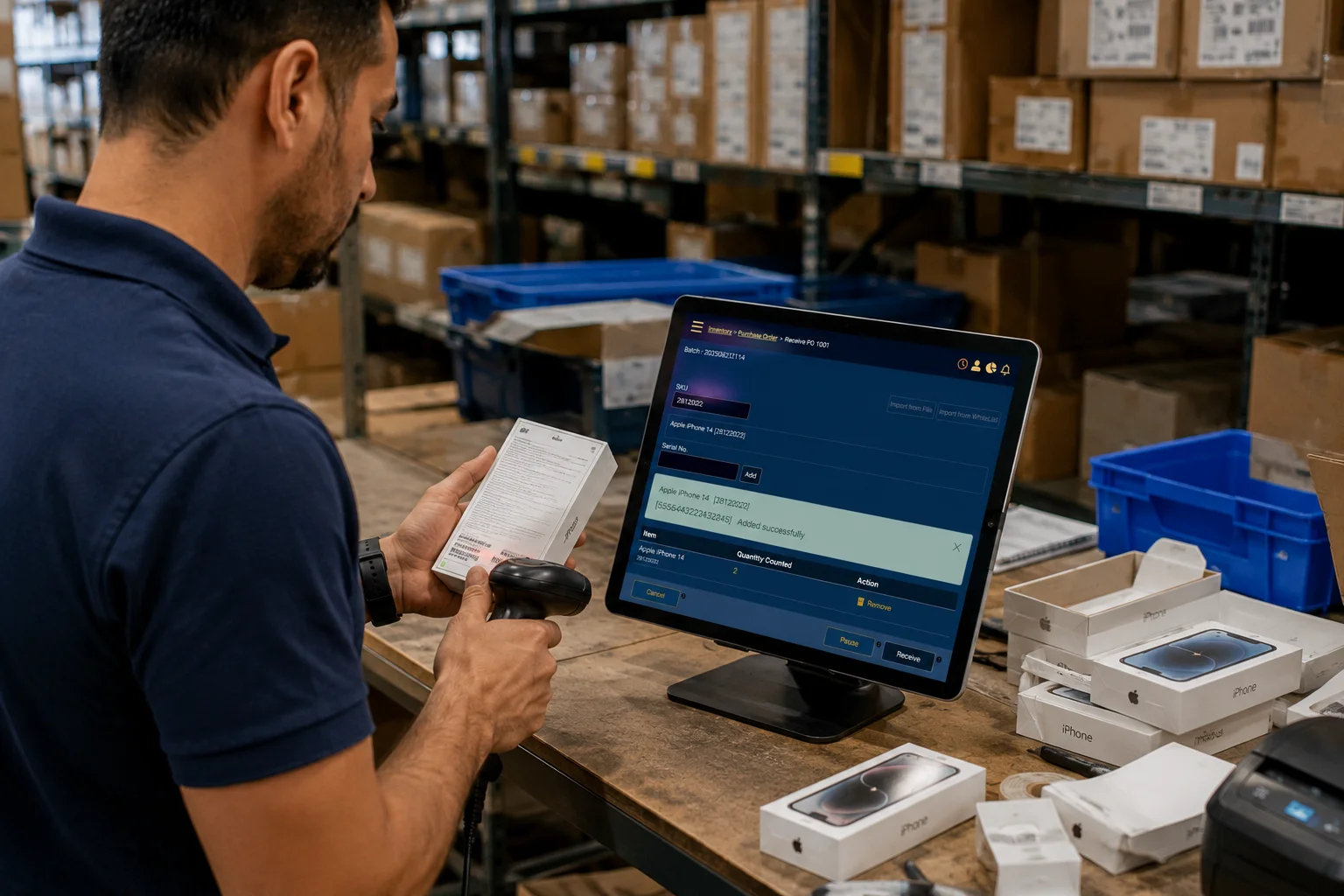
MTPOS connects purchase orders, receiving, serial-number capture, quantity updates, and inventory availability. Employees can receive products, scan items, confirm counts, and update inventory as shipments are processed.

Purchase order imports
Serial number receiving
Quantity confirmation
Immediate inventory updates
See Catalog Management
MTPOS purchase order receiving workflow with barcode scanning and serialized inventory
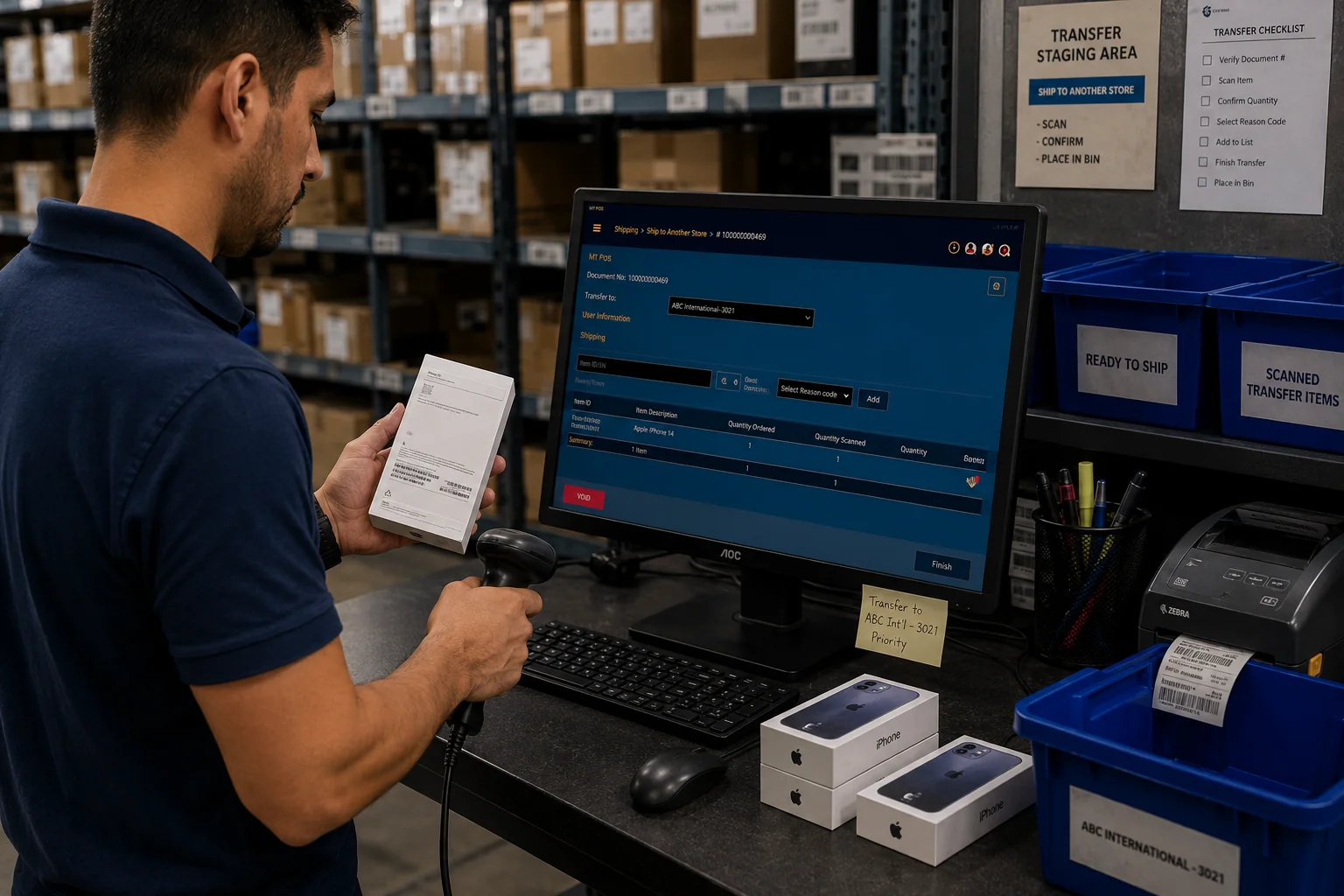
MTPOS inventory transfer workflow between stores and warehouses using barcode scanning
Transfers and Warehouses

Move Inventory Between Stores and Warehouses With Control

When one location has extra stock and another location is running low, MTPOS helps your team manage transfer workflows with document control, item scanning, approvals, shipment preparation, receiving confirmation, and status tracking.

Transfer requests
Approval workflows
Scan-to-transfer processing
Receiving confirmation
Replenishment and Accuracy

Reduce Stockouts and Improve Inventory Accuracy

MTPOS helps retailers identify what needs action before inventory shortages affect sales. Use min/max levels, low-stock alerts, mobile counts, physical counts, variance review, and inventory adjustment history to keep stock more accurate.

Min/Max Reordering

Set replenishment thresholds so the system can alert your team when inventory requires action.

Low-Stock Alerts

Receive alerts when inventory drops below expected levels instead of manually checking reports all day.

Cycle Counts and Audits

Perform full physical counts or targeted mobile cycle counts to improve inventory accuracy throughout the year.

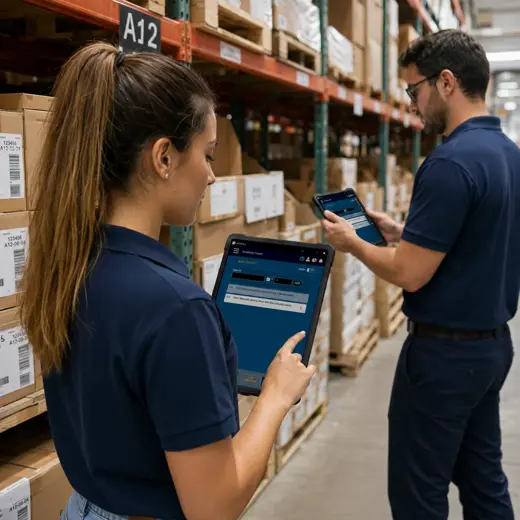
MTPOS mobile inventory cycle count and warehouse stock verification using iPad

Continuous Inventory Control, Not Just Annual Counts

Inventory accuracy improves when employees can verify stock, count items, and correct variances as part of daily operations. MTPOS supports physical counts, mobile cycle counts, barcode scanning, serialized and non-serialized counts, and adjustment history.

Physical inventory counts
Mobile cycle counts
Barcode scanning
Variance review
Serialized Inventory Management

Centralized Serialized Inventory Control

For retailers that sell phones, electronics, equipment, high-value goods, warranties, or service-related items, MTPOS helps track serialized products from receiving through sale, return, exchange, warranty, service, or recall activity.

Serial Number Tracking

Track devices, equipment, or controlled items that require serial number visibility and item-level history.

Real-Time Item Movement

Maintain visibility into serialized product movement across receiving, transfers, sales, returns, and exchanges.

Warranty and Service Tracking

Associate serialized products with warranty periods, service activity, maintenance history, and after-sale support.

Product Recall Support

Identify affected serialized products by serial number, location, transaction history, or customer activity when recall action is required.

Customer Reservations

Reserve products for customers and keep inventory commitments visible to store teams.

Salesperson Allocation

Allocate expensive or controlled inventory items to individual salespeople for accountability and tracking.
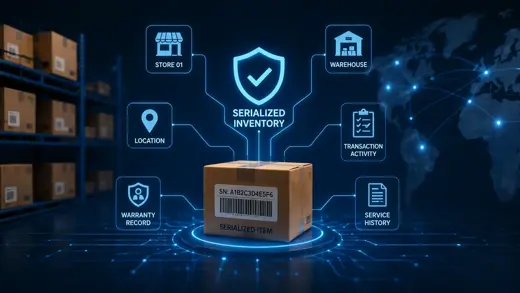
Item-Level Control Where It Matters

Serialized inventory helps maintain accountability across stores and warehouses by connecting each unique item to its location, status, transaction activity, warranty record, service history, and recall activity.

Reports and Monitoring

Inventory Reports, Alerts, and Actionable Monitoring

Stay informed with reports, alerts, and inventory monitoring tools. Instead of constantly checking every store, managers can respond when MTPOS identifies inventory activity that requires attention.

Low inventory alerts
Transfer status reports
Cycle count variance reports
Serialized item history
Online and scheduled reports
Excel data export
Recommended Use Cases

Inventory Management for Serialized and High-Value Retail Products

MTPOS inventory management is especially useful for retailers that need stronger control over serialized, high-value, traceable, or service-related products.

Cellular phone stores
Computer and electronics stores
Hardware and equipment stores
Multi-store retail operations
Catalog Connection

Inventory Works Best When Product Data Is Clean

Inventory depends on accurate product definitions, categories, serialized item rules, supplier data, pricing, and publishing controls. MTPOS connects inventory workflows with catalog management so your product setup and stock operations work together.

Explore Catalog Management

Inventory Management Capabilities

MTPOS gives retailers the inventory tools needed to manage daily stock activity, warehouse movement, purchasing, counts, reservations, serialized products, and multi-location operations.

Inventory levels by store and warehouse
Min/max replenishment rules
Low-stock alerts and notifications
Inventory transfers between locations
Purchase order imports and receiving
Serialized inventory tracking
Non-serialized inventory management
Mobile cycle counts and audits
Barcode scanning
Customer reservations
Returns and exchanges
Salesperson inventory allocation
Warranty and service tracking
Serialized product recall support
Online and scheduled inventory reports

Where Is My Data Stored?

For standard MTPOS cloud subscriptions, your business data is hosted on Microsoft Azure with high availability, multi-zone redundancy, secure cloud access, and infrastructure designed for reliable day-to-day retail operations.

Authorized users can access business data when needed and export transaction data using online reporting tools.

Support Included With Your Cloud Subscription

Your MTPOS cloud subscription includes support to assist with inventory setup, replenishment rules, mobile inventory workflows, transfers, purchasing, receiving, reporting, and ongoing platform operation.

Enterprise Deployment Options

Need Private Cloud, Custom Hosting, or Platform-as-a-Service Deployment?

MTPOS cloud subscriptions are designed for SMB retail operations. For enterprise organizations that require custom deployment, Amazon cloud hosting, customer private cloud, Kubernetes-based deployment, or Platform-as-a-Service delivery models, MicroTelecom can provide enterprise deployment options with implementation support.

Run Inventory From the Same Platform as Your POS

Manage stock levels, replenishment, purchase orders, transfers, cycle counts, serialized products, reservations, returns, warranties, recalls, and inventory reports with MTPOS.